


A stopped watch is usually not a reason to retire a favorite timepiece. For many everyday quartz watches, a fresh battery brings it right back to life. Learning how to replace watch batteries can save a trip across town, but the small parts and delicate caseback mean it pays to slow down.
The right approach depends on the watch. A simple fashion watch with a snap-on back is often manageable at home. A water-resistant watch, a treasured vintage piece, or a watch with a screw-down caseback may be better handled by someone with the proper tools. The goal is not just to make the hands move again. It is to avoid scratching the case, bending the gasket, or installing the wrong battery.
Before You Replace a Watch Battery, Check the Basics
First, make sure the watch is actually battery-powered. Quartz watches usually tick once per second and often have “Quartz” printed on the dial or caseback. Mechanical and automatic watches do not use standard button-cell batteries, so opening them for that reason will not solve the problem.
A dead battery is the likely culprit if the watch has stopped completely, if the second hand jumps every few seconds, or if a digital display has faded or gone blank. Some watches use that jumping second-hand motion as a low-battery warning.
Look closely at the caseback before buying a battery. Many watches print the battery number on the old cell, not on the outside of the case. If you cannot read a battery number until the back is open, wait to purchase a replacement. Button cells may look nearly identical but differ in thickness, voltage, and chemistry.
It is also worth checking the condition of the watch. If the crystal is cracked, there is visible corrosion around the back, or the watch has fogged up in the past, a new battery alone may not be the full repair.
Gather the Right Tools
You do not need a large repair bench for a basic replacement, but improvised tools create most of the problems. A butter knife, pocketknife, or screwdriver can slip easily and leave a permanent mark on the case.
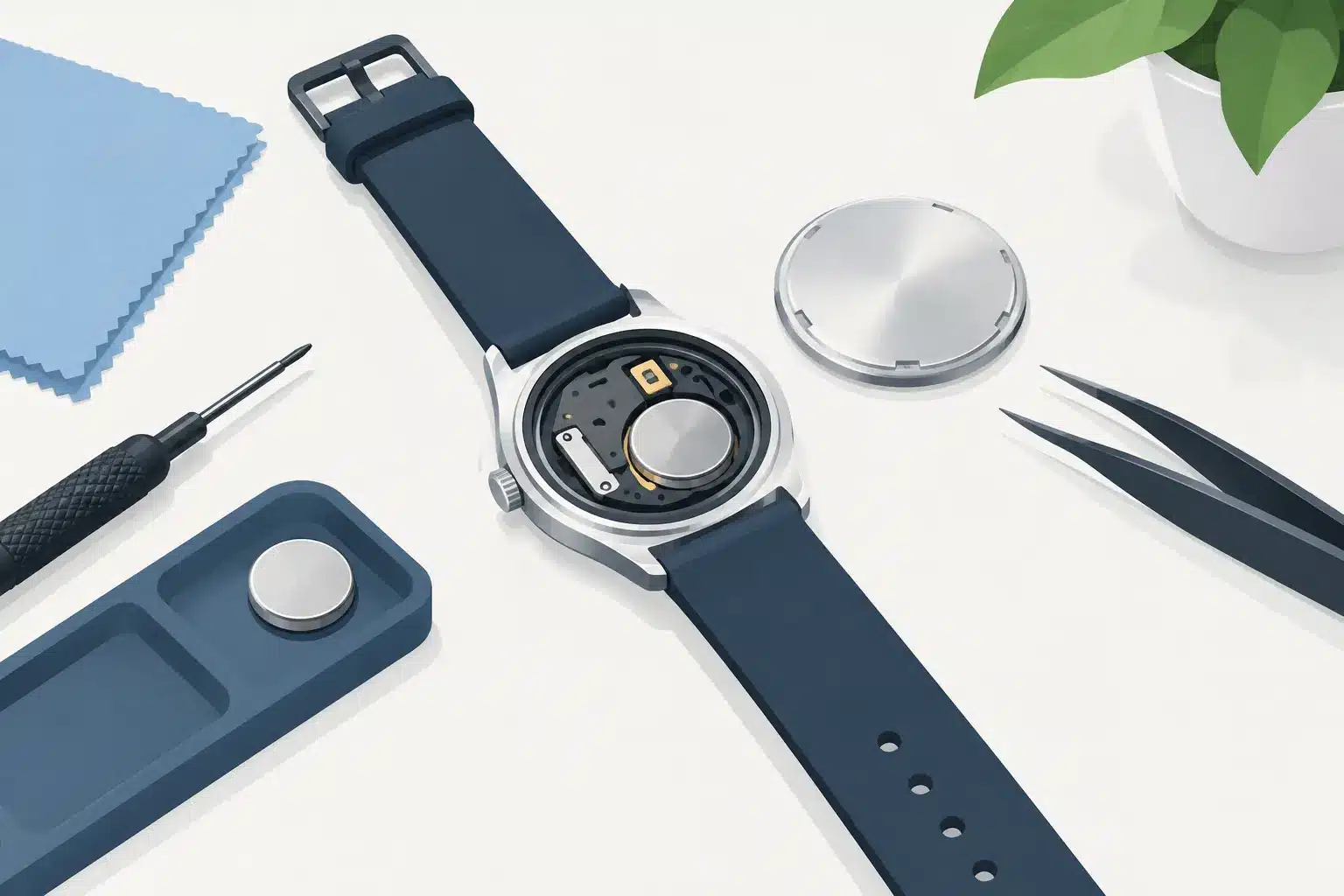
For a typical job, gather a clean, well-lit work surface; a soft cloth or watch holder; a caseback opener suited to your watch; plastic tweezers; and the correct replacement battery. A magnifying glass can help with tiny battery markings and gasket placement.
Use a shallow tray or small dish for parts. The battery, retaining clip, gasket, and caseback are all easy to misplace, especially on a busy kitchen counter. Keep drinks, magnets, and loose paper away from the work area.
Avoid handling the new battery with bare fingers when possible. Skin oils can leave residue on the contact surfaces. Plastic tweezers are a good choice because metal tweezers can accidentally bridge the battery contacts.
Identify Your Caseback Style
Most watch casebacks fall into three common styles. A snap-on back has a slim notch along the edge where a case knife can lift the cover. A screw-back case has several notches around its perimeter and unscrews with a proper case wrench. A screw-down back uses tiny screws, usually four, that must be removed before lifting the cover.
If your watch has no visible notch and the back feels firmly threaded, do not force it with a blade. A screw-back opened the wrong way can be scratched, warped, or difficult to reseal. Watches with a display back, a very thin case, or luxury-brand markings deserve extra caution too.
How to Replace Watch Batteries Step by Step
Place the watch face-down on a microfiber cloth so the crystal is protected. If the band makes the case difficult to hold flat, you may need to remove the band first. Work slowly and take a quick photo of the inside once the back is off. That photo can be very useful when it is time to put everything back together.
Open the Case Carefully
For a snap-on back, find the small pry notch. Insert a watch case knife at that point, keeping the blade as level as possible, then apply gentle pressure until the cover pops free. Do not pry repeatedly around the entire edge. That can bend the caseback or chip the finish.
For a screw-back, fit the adjustable wrench pins securely into the notches. Turn counterclockwise with steady pressure. If the tool slips, stop and reset it rather than continuing with a poor grip.
For a screw-down back, remove the screws one at a time and place them in your parts dish. These screws are tiny, and their heads can strip if the driver is not the right size.
When the back comes off, watch for a thin rubber ring around the edge. This is the gasket that helps keep out moisture and dust. It may stay in the watch case or cling to the caseback. Do not stretch it, cut it, or lose it.
Remove the Old Cell and Match It Exactly
Inside the watch, locate the button cell and note which side faces up. The positive side, marked with a plus sign, is commonly visible, but do not assume. Some batteries are held by a small metal clip, a spring tab, or a tiny screw.
If there is a clip, gently move it just enough to release the battery. Do not bend it farther than necessary. If a screw holds the clip in place, loosen it slightly rather than removing it completely unless the design requires removal.
Read the number printed on the old battery and match it exactly to the new one. For example, an SR626SW and an SR621SW are not interchangeable just because their names look similar. A battery that is too thick can damage the movement or prevent the caseback from closing. One that is too thin may not make reliable contact.
Check the battery compartment for white, green, or crusty residue. That can signal leakage or corrosion. A lightly dusty compartment may be cleaned carefully with a dry, soft brush, but visible corrosion is a good reason to stop and seek repair help. Installing a fresh cell into a damaged movement can waste the battery and leave the watch still not running.
Install the New Battery
Set the fresh battery into place with the same orientation as the old one. Use plastic tweezers or a nonmetal tool to press it down gently. Reposition the clip or retighten its retaining screw if needed.
At this point, the watch may start immediately. If it does not, check that the battery is seated flat and that the contact clip is touching it properly. On some digital watches, a reset point inside the case must be briefly connected after a battery change. That procedure varies by model, so do not guess or poke around the circuit board.
Reseal the Case Without Losing Protection
Before closing the watch, inspect the gasket. It should sit evenly in its channel without twists, pinches, or debris underneath. If it is brittle, flattened, cracked, or missing, the watch is no longer likely to keep out moisture as intended.
For a snap-on back, line it up evenly and press straight down using a watch press. Pressing with your thumbs can work on some light-duty watches, but it can also crack the crystal or leave the cover partly unsealed. Never hammer the caseback into place.
For a screw-back, start the threads by hand and turn carefully to avoid cross-threading. Tighten it firmly with the correct tool, but do not overdo it. For a screw-down back, replace each screw gradually in a cross pattern so the pressure stays even.
Once closed, set the time and confirm that the hands or display are working normally. Keep the watch away from water until you are confident the back is seated correctly. Even a watch labeled water resistant may lose that protection after opening unless the gasket is in good condition and the seal is tested.
When a Local Replacement Is the Better Choice
DIY battery changes make sense for straightforward watches, especially if you have the correct tools and do not mind working with tiny components. The trade-off is that home replacement does not verify water resistance, diagnose movement problems, or guarantee a proper seal.
Choose professional help for dive watches, watches worn in pools or at work, high-value pieces, sentimental heirlooms, and anything with corrosion or a stubborn caseback. The same goes for watches that still will not run after a correctly installed battery. The issue may be a damaged movement, a broken stem, or a contact problem rather than the cell itself.
If you are in Manteno or nearby Kankakee County, Liquid Books can help with watch battery replacement while you browse for a reader favorite, ship a package, or discover a new old-media gem. It is a practical stop for one of those little errands that can make a daily routine easier.
A fresh battery is a small fix, but it can bring back the watch you reach for every morning. Treat the case, gasket, and tiny parts with patience, and when the job feels beyond a simple swap, let careful local help keep your timepiece ticking.
 Previous Post
 Next Post