


A printer can feel like a bargain right up until it needs ink, toner, or a last-minute school project refuses to print correctly. The inkjet versus laser choice is less about finding one “best” machine and more about matching a printer to the work that actually lands on your desk: family photos, shipping labels, church flyers, invoices, reports, or a stack of forms that needs to be ready before lunch.
For homes and small businesses around Manteno and Kankakee County, that difference matters. A printer that is perfect for colorful craft projects may be an expensive headache for a business that prints black-and-white documents every day. Here is how to make the call without getting buried in technical jargon.
Inkjet Versus Laser: The Everyday Difference
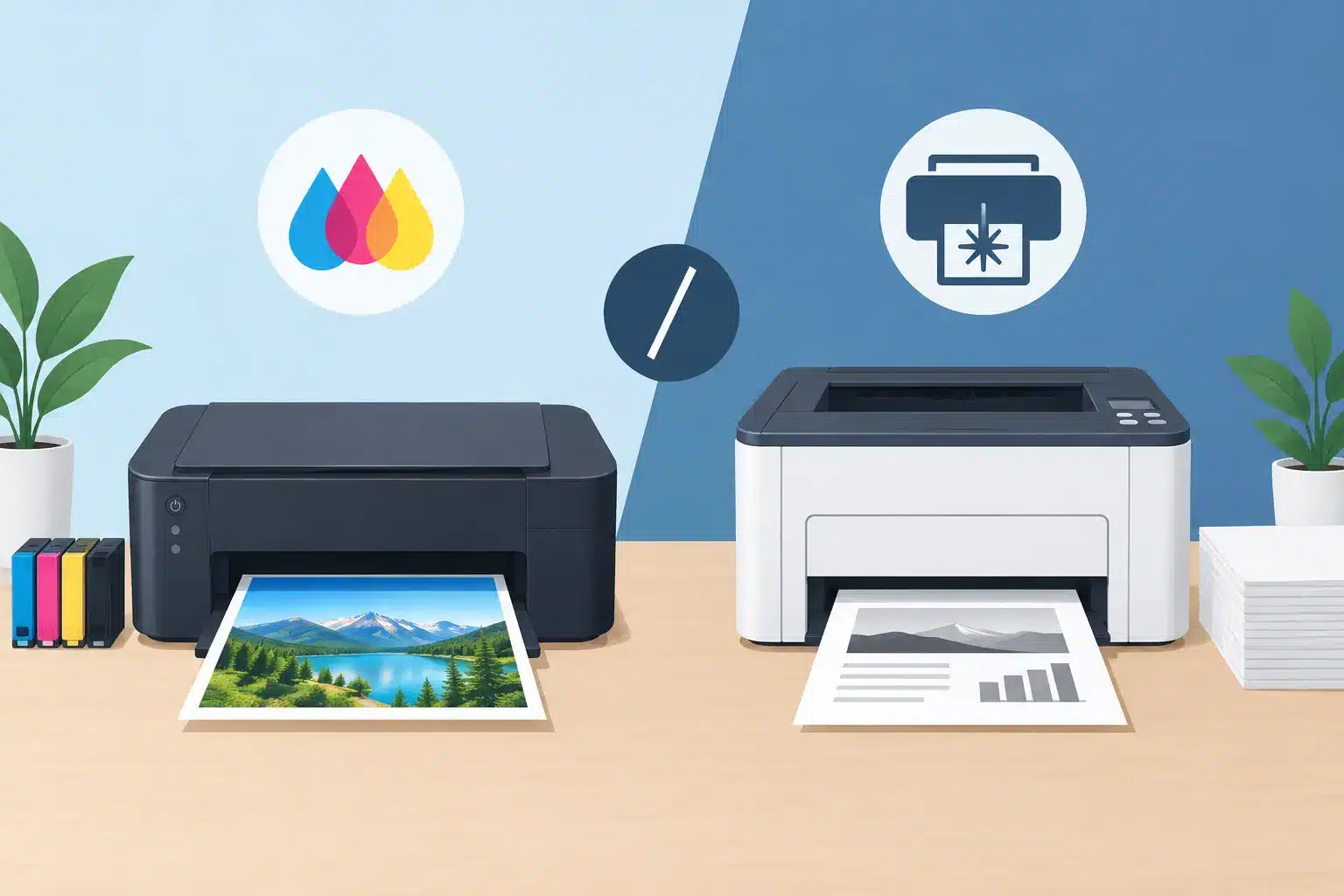
Inkjet printers spray tiny drops of liquid ink onto the page. That makes them especially good at color, gradients, photographs, and image-heavy designs. They are often smaller and less expensive to buy upfront, which is why they are common in homes, dorm rooms, and occasional-use offices.
Laser printers use toner, a fine powder, along with heat and a drum system to place text and images on paper. They are built for speed and volume. If you regularly print packets, forms, labels, instructions, or black-and-white business documents, a laser printer often handles the job with less waiting and a lower cost per page.
Neither technology is automatically the better buy. The right one depends on what you print, how often you print, and whether color quality or document efficiency matters more.
Choose an Inkjet When Color Is Part of the Project
An inkjet is usually the more appealing choice for someone who wants good-looking color at home. It can handle birthday invitations, classroom worksheets, family photos, scrapbook pages, art prints, and flyers with rich color variation. Photo-focused inkjet models can produce results that feel far more polished than a basic office printer, especially when paired with the right photo paper.
Inkjet printers also offer flexibility with specialty media. Depending on the model, they may print on glossy paper, cardstock, labels, envelopes, iron-on transfer sheets, and other creative materials. That is useful for families, crafters, students making presentations, and small sellers preparing a few branded inserts or thank-you cards.
The catch is that ink can be costly, and cartridges can dry out when a printer sits unused for long stretches. A low-priced inkjet may look attractive at checkout, then require expensive replacement cartridges after only a modest amount of printing. If you choose inkjet, check cartridge prices before buying the printer and consider whether an ink-tank model makes sense for your expected use.
Ink-tank printers use refillable reservoirs instead of traditional cartridges. Their purchase price is usually higher, but their ink cost per page can be much lower for households that print color regularly. They are a strong middle ground for people who want color without constantly replacing small cartridges.
Choose a Laser Printer for Fast, Frequent Documents
Laser printers shine when the main job is producing clean documents quickly. Text is typically sharp, pages come out fast, and toner cartridges can last for hundreds or thousands of pages. For a home office, local club, contractor, or small business that prints invoices, estimates, manuals, schedules, return forms, and shipping paperwork, those strengths add up.
Monochrome laser printers, which print only black, are often the practical workhorse. They tend to have a higher upfront price than the cheapest inkjets, but they can be economical over time when your printing is mostly text. Toner does not generally dry out the way liquid ink can, so a laser printer is also a comfortable choice for people who print only occasionally but need reliable black-and-white pages when the moment arrives.
Color laser printers are useful for brochures, presentations, charts, and simple marketing pieces, but their color output is usually designed for business graphics rather than photo printing. A color laser can make a crisp handout with a logo and a bar chart. It is less likely to deliver the soft, detailed photo finish an inkjet can produce on glossy stock.
Laser printers are often larger and heavier, too. Before bringing one home, measure the shelf or desk where it will live. A compact printer is only convenient if there is room to open trays, replace toner, and load paper without moving half the office.
Compare the Costs Beyond the Price Tag
The printer’s shelf price is only the opening chapter. The ongoing cost of ink or toner, paper, maintenance, and wasted prints will shape what you really spend.
With an inkjet, the major question is cartridge yield. Standard cartridges may be inexpensive individually but run out quickly, especially when printing color pages or photos. High-yield cartridges and ink-tank systems can improve the math, but only if you print enough to use them.
With laser, toner yield is usually the headline advantage. A toner cartridge may cost more than an ink cartridge, yet it generally produces far more pages. Some laser printers also need replacement drums or other maintenance parts over time, so check the manufacturer’s expected yields rather than comparing toner prices alone.
Think in terms of your real monthly habits. Printing ten colorful pages a month is very different from printing 300 black-and-white pages for a side business. If your workload is occasional and unpredictable, buying a printer solely for one large project may not be the best value. Local print help can be a simpler option for larger batches, polished color materials, or documents that need attention right away.
Paper, Labels, and Special Jobs Need a Closer Look
Not every printer handles every paper product equally well. Before buying, look at the printer’s supported paper sizes, paper weights, duplex capability, and media guidance. “It prints labels” is not the same as “it reliably prints the labels you need.”
For shipping labels, a monochrome laser printer can be a great fit if you produce them often on standard label sheets. For occasional shipping, it may be easier to print labels as needed through a neighborhood service center rather than keep another device stocked at home. Be careful with adhesive label sheets in any printer: labels that peel inside a machine can create a frustrating repair bill.
If you need two-sided reports, automatic duplex printing saves time and paper. If you create greeting cards or art projects, check the supported cardstock weight. If you print photos, look for an inkjet designed for photo paper and verify whether it uses multiple color inks for better detail.
At Liquid Books, customers often come in with practical jobs that do not fit neatly into a home printer routine: a few clean copies of a form, a fax, a presentation, a shipping label, or a color project that needs to look right. That is a good reminder that owning a printer and having access to printing are two different needs.
Maintenance Can Make or Break the Experience
Inkjet owners should print something regularly, particularly if the printer uses cartridges. A simple color page every week or two can help keep nozzles from clogging. When clogs happen, cleaning cycles use ink and do not always solve a severe problem.
Laser printers need less frequent attention for most users, but they are not maintenance-free. Toner can leave dust behind, paper paths can collect debris, and a worn drum can affect print quality. Use the paper type recommended for the machine, store paper in a dry place, and do not ignore streaks or repeated paper jams.
For either type, avoid bargain supplies that do not have a trustworthy reputation. Compatible cartridges and toner can save money, but quality varies. A cheap supply that leaks, produces faded pages, or causes repeated errors is not much of a deal.
A Quick Way to Decide
Choose an inkjet if you care most about photos, color projects, and printing on creative media. It is also a sensible option for light home use, especially if you are willing to keep it active and budget for ink.
Choose a monochrome laser if you print lots of text documents, want quick pages, and prefer a machine that can sit for a while without dried-out ink. Choose a color laser if business-style color documents matter more than photo quality.
If your printing comes in bursts, consider the space, supplies, and upkeep a printer will require between those bursts. Sometimes the best setup is a modest home printer for everyday needs and local print support for the jobs that deserve a sharper finish, a heavier paper stock, or a little extra help. That leaves more room for the projects, stories, and discoveries worth bringing home.
 Previous Post