

A box of VHS tapes, a stack of photo albums, or a cassette labeled in someone’s handwriting can hold more than old media. It may contain a child’s first steps, a grandparent telling a story, a school concert, or a family vacation nobody has watched in years. Digital conversion gives those moments a practical future, before aging formats and worn equipment make them harder to enjoy.
For families in Manteno and throughout Kankakee County, converting older media is often less about getting rid of the original and more about making it usable again. A digital copy can be shared with relatives, played without finding an old VCR, and kept alongside other important family files.
What digital conversion can preserve
Older media was made for equipment that is becoming less common every year. VHS and VHS-C tapes need working players. Audio cassettes need a clean deck. Slides and printed photographs can fade, scratch, curl, or collect dust in storage. Even when the item looks fine, the next challenge may be finding the cable, camera, or machine needed to play it.
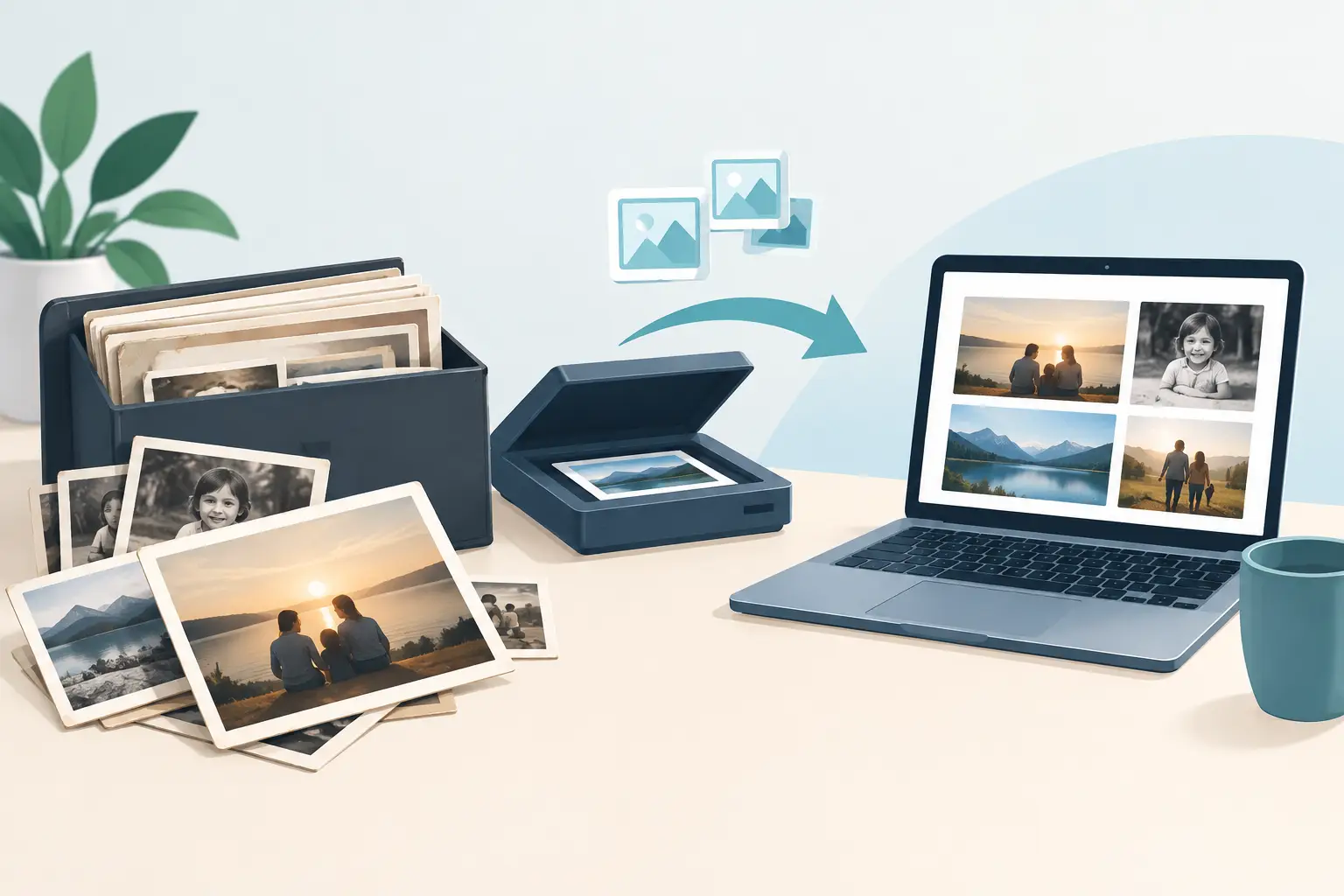
Digital conversion transfers the content from an older physical format into a digital file. Depending on the item, that can mean video files from VHS tapes, digital images from photographs and slides, or audio files from cassettes and other recordings. The goal is simple: make your memories easier to view, hear, organize, and share while keeping the character of the original.
A digital file is not automatically perfect forever, though. Files still need a home, a backup, and clear names. The real value of conversion comes from pairing the transfer with a little organization, so the people who matter can actually find and enjoy what you saved.
Start with the items that matter most
Most people have more material than they expect. Before bringing in a whole closet of tapes or albums, take a quick look through what you have and identify the irreplaceable pieces first. Family events, recordings of relatives who have passed away, milestone celebrations, and one-of-a-kind footage usually belong at the top of the pile.
You do not need to make every decision at once. A good first project might be a few tapes from a wedding, a favorite album of childhood photos, or one cassette of a loved one’s voice. Starting small helps you see what format works best for your needs before you take on the full collection.
If you have several items, group them by type and label them as clearly as possible. A note such as “Christmas 1996 – Grandma’s House” is much more useful than “Tape 4.” If a tape’s label is uncertain, write down what you think it contains rather than guessing later. Those details become part of the memory, too.
Prepare media with care, not pressure
Old media can be delicate, but preparation does not need to be complicated. Keep tapes, photos, slides, and discs dry and away from extreme heat. Avoid trying to force a stuck cassette or play a tape that looks badly wrinkled, moldy, or damaged. A damaged item may need special attention before it can be safely handled.
For photographs, remove loose dust gently with a soft, dry cloth. Do not use household cleaners, tape, glue, or markers on the image itself. If photos are in an album, leave them where they are unless they can be removed easily without tearing or bending. The best approach depends on the condition of the photos and whether the album arrangement tells part of the story.
It also helps to check for duplicate footage. Families sometimes have multiple copies of the same school recital or holiday gathering. Duplicates are not always a problem – one version may be clearer than another – but knowing what you have can save time and help you focus your budget on unique recordings.
Choose files based on how you will use them
The right digital format depends on what you want to do after conversion. If your main goal is to watch home movies on a computer or smart TV, a common video file is usually the practical choice. If you want to share photos with family, image files that are easy to email, print, or store in a photo library make sense. Audio recordings should be saved in a format that plays easily on current phones and computers.
There is a trade-off between convenience and file size. Higher-quality files can preserve more detail, but they take up more storage space. Smaller files are easier to send, but heavy compression can soften images or reduce video quality. For a treasured original, it can be worth asking whether a high-quality master copy is available in addition to a shareable version.
Think about delivery, too. A flash drive is convenient for handing files to a relative or keeping in a drawer, while cloud storage makes sharing easier across households. Many families use both: a physical copy for their records and a backed-up copy stored elsewhere. One copy is helpful. Two copies in different places are far safer.
Keep expectations realistic about older recordings
Digital conversion preserves what is on the original media. It can make it accessible again, but it cannot turn a dim, shaky camcorder recording into modern high-definition video. Grain, tape noise, faded colors, and soft focus are often part of the source material.
That does not make the recording less meaningful. In fact, the imperfections can be part of its charm: the hum of a camcorder, the slightly washed-out color of a birthday party, or the sound of people laughing behind the camera. Basic cleanup may be possible in some situations, but extensive restoration can change the look of the original and may not be necessary for every project.
If quality is especially important, bring in one representative item first. Seeing the result from a typical tape, photo, or recording helps you decide how to proceed with the rest of the collection. This is particularly useful when materials come from different decades or were stored in different conditions.
Give your converted files a system
The easiest way to lose a digital memory is to save it under a name like “VIDEO0007.” A simple naming system makes a major difference. Include the year or approximate date, event, and people or location when possible. For example: “2002-06-15_SmithFamilyReunion_Manteno.” It may feel detailed now, but it is a gift to your future self and everyone who inherits the files.
Create folders by year, family branch, event, or media type – whichever matches how your household looks for memories. Keep a short text note with any context you know: names, dates, stories, and who originally recorded the footage. A video of a living room becomes much more valuable when someone knows whose home it was and why everyone had gathered there.
Once files are converted, make backups promptly. Store copies on a reliable external drive and in a separate location, such as secure cloud storage or another trusted device. Check those copies occasionally. Technology changes, and a backup only helps if it can still be opened when you need it.
Turn saved memories into something shareable
Digital files are useful, but they become more meaningful when they are revisited. Plan a family movie night with old home videos. Send a few favorite photos to relatives who live out of town. Print an image for a birthday card or create a small collection for a graduation party. A converted audio recording can become a wonderful surprise for someone who has never heard a grandparent’s voice.
This is where a local service can make the project feel manageable. Liquid Books can help you take the next step with digital conversion while also offering printing support if you want physical copies for an album, display, or family gathering. You can bring questions, ask for practical guidance, and handle a project close to home instead of trying to piece it together alone.
That old box does not need to stay a mystery in the closet. Pick out one tape, one album, or one recording that makes you curious. Preserving a memory starts with giving it a chance to be seen, heard, and shared again.
 Previous Post